Turn a tablet into a digital family wall calendar.
One screen for everyone, in the kitchen or the hallway: events, chores, meal plan and shopping list full screen – without anyone staying signed in, and without expensive special hardware.
Free for 30 days, then €2.99 a month for the whole family.
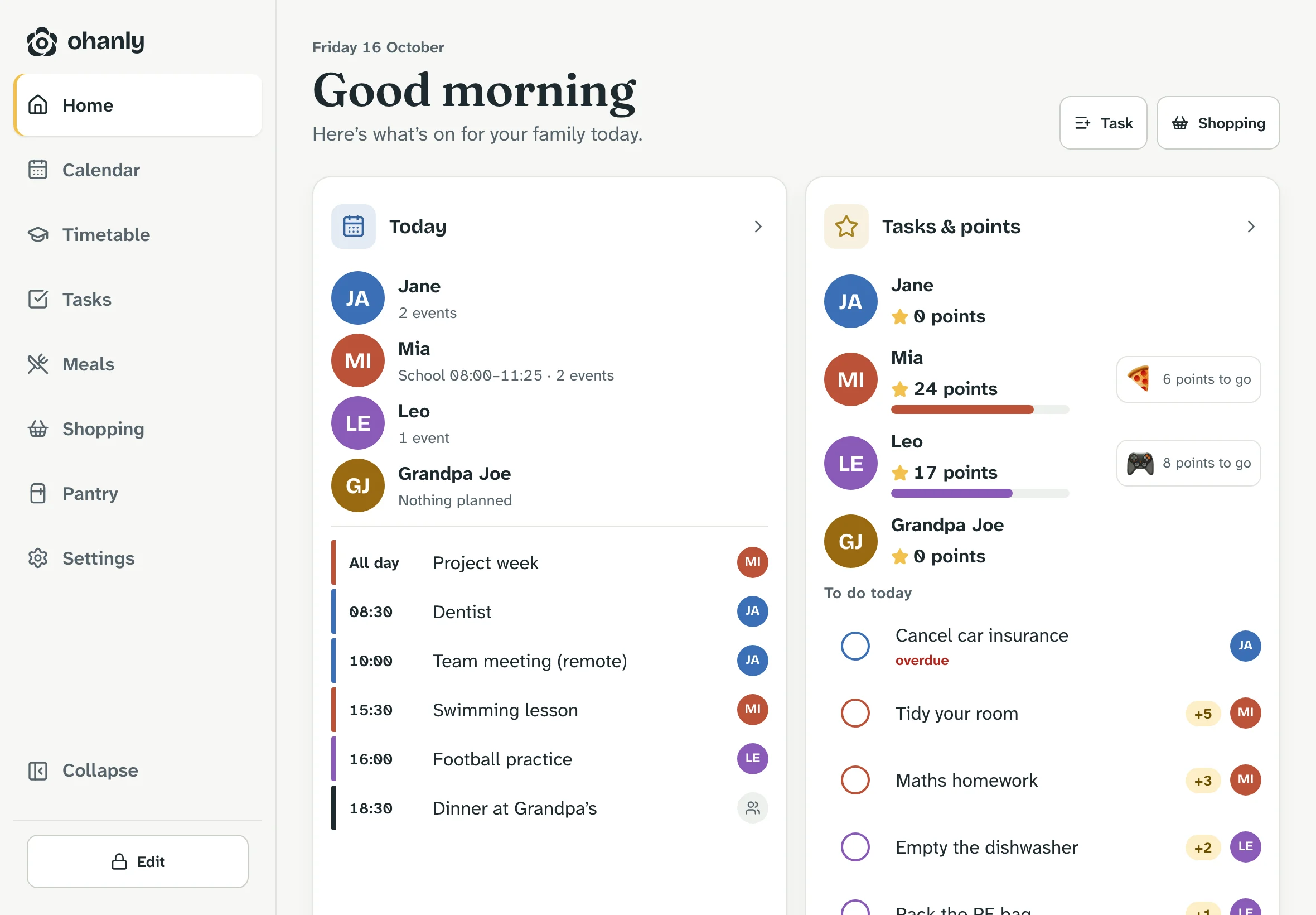
There for everyone, editable by adults.
The display is where the family looks in the morning – and ticks things off in the evening.
-
Pair with a code or QR
An adult adds the display under “Family”. On the tablet, enter the code or scan the QR code – done. The code is valid for 15 minutes and works once.
-
No account
The display needs no account of its own and doesn’t sign anyone in. Remove it and it’s disconnected immediately.
-
Everyone joins in
On the display, anyone can see the day, add to the shopping list, plan meals, create chores and tick them off.
-
Tick off by name
Whoever finishes a chore taps it and picks their name. The points go to the right child.
-
Changes need the code
Editing and deleting only work after unlocking with a 4 to 8 digit code. Afterwards the display locks itself again.
-
Any tablet will do
An iPad or Android tablet you already have, with a current browser, is enough. ohanly can be added to the home screen as an app.
Frequently asked questions
Family display
Which tablet works as a family calendar?
Any tablet with a current browser, such as an iPad or an Android tablet. For the wall, all it needs is a mount and a permanent power supply.
What does the display show?
Today’s overview with events per person, chores and points, plus calendar, chores, meal plan and shopping list full screen.
Can someone delete data on the display?
Not without the code. Without unlocking, you can view, add and tick off; editing and deleting need the adults’ code. If the tablet goes missing, remove the display and it’s disconnected immediately.
Does the display cost extra?
No. Family displays are part of ohanly – in the cloud version and when self-hosting.
More from ohanly