Every child’s school timetable – always to hand.
What’s on in third period, and when does school finish? ohanly shows each child’s timetable with subjects, times and rooms – and opens today’s day by itself.
Free for 30 days, then €2.99 a month for the whole family.
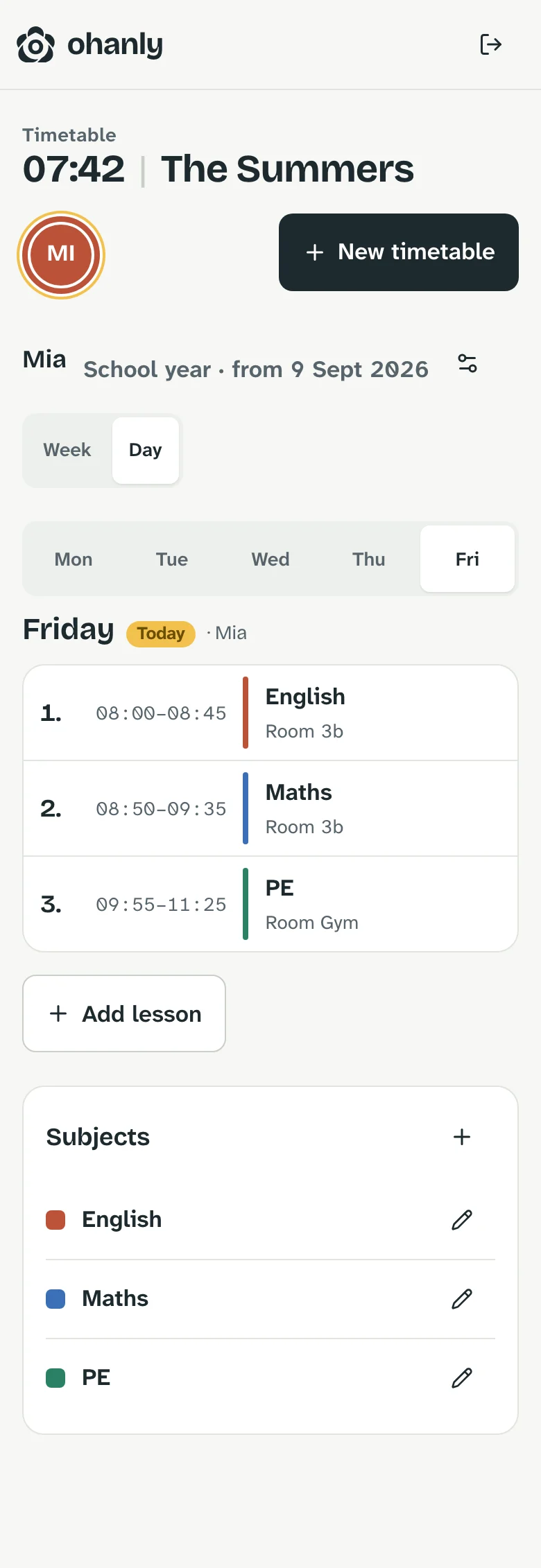

School at a glance.
Entered once, useful all term – for parents, grandparents and the kids themselves.
-
One plan per child
Every child profile gets its own timetable. Today’s lessons also appear on the home screen.
-
Subjects in colour
Each subject has a colour and a short name, plus the teacher if you like. You can read the day at a glance, even in narrow views.
-
Day and week
The day view shows what’s on today, the week view the whole plan. Days without lessons are marked as free.
-
A and B weeks
Lessons that only happen every other week are entered as A or B week. ohanly shows the right ones each week.
-
New school year, new plan
Plans have a validity period. For the new term, copy subjects and lessons from the old plan and change only what’s new.
-
Quick to enter
If the times of a period change, adjust the whole row at once – for every weekday.
Frequently asked questions
School timetable
What data does ohanly store for the timetable?
Only subjects, times, rooms and the teacher if you like. ohanly doesn’t record grades or any other pupil data.
Does it work for several children?
Yes. Each child profile has its own plan, and you switch between children with one tap.
Can kids see their timetable themselves?
Yes, on the family display or with a login of their own. The adults in the family maintain the timetable.
What happens at the start of a new school year?
Create a new plan with a “valid from” date and copy subjects and lessons from the previous one. The old plan ends the day before – ohanly always shows the plan that currently applies.
More from ohanly